01 / UNDERSTAND
What is Tree Testing?
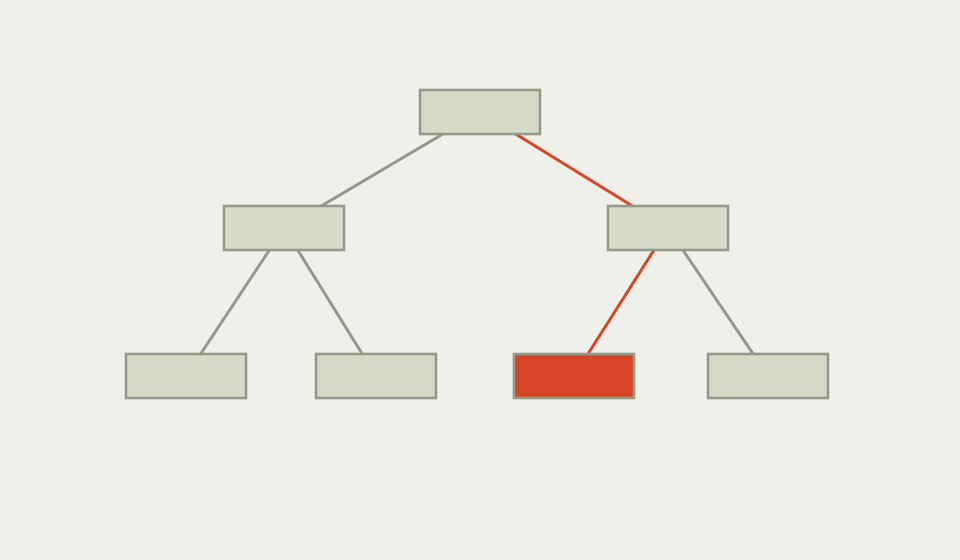
Tree testing evaluates whether people can find information in a proposed hierarchy using words alone. Participants complete realistic findability tasks in a text tree, so the exercise isolates labels, grouping and route logic before visual design adds signals.
Why use Tree Testing?
A navigation can look tidy and still hide the page people need. Tree testing gives a focused way to examine the information structure and the language used to describe it. It is useful evidence for a decision about labels or grouping, not a complete measure of the whole site experience.
When to use it
USE IT WHEN
You are comparing labels or category structures before interface design.
People reach the wrong branch or abandon a findability task.
A card sort produced several plausible structures that need checking.
When to choose another method
Use Card Sorting to discover groups and labels when the structure is still open.
Use Usability Testing when visual cues, interaction or content comprehension are part of the question.
Use an analytics review when you need evidence from existing traffic rather than a controlled task.
What you’ll need
Choose a narrow information structure, realistic tasks and a participant profile with relevant experience. Prepare a short tree with neutral labels and remove visual styling that could reveal the answer. Record the chosen path, success, directness and wrong turns. Keep task wording free from the destination label.
What a tree test needs
Keep the elements that help answer your question and support a decision.
The categories and labels being evaluated.
A goal stated in the language of the person seeking information.
The route, success, directness and wrong turns.
The evidence that would change a label or grouping.
Relevant experience and any missing perspectives.
The owner and next check after changes.
02 / PUT IT INTO PRACTICE
How to run a tree test
Keep evidence and assumptions distinct. Revisit your work when new information changes your understanding.
01
Bound the question
Choose one hierarchy decision and define the audience.
Test whether someone can find cancellation information, rather than asking if the whole site is usable.
02
Write the task
Describe a plausible goal without naming the destination.
You booked a course but can no longer attend. Find where you would learn about cancelling and receiving a refund.
03
Build a neutral tree
Show labels and nesting without visual emphasis or search.
Keep category depth visible, but avoid icons and explanatory copy.
04
Observe the route
Capture first click, final path, success and confidence.
Note whether the participant opens Support, Booking or Account before reaching the right page.
05
Inspect patterns
Compare wrong branches and wording, not only the final percentage.
A repeated detour may reveal an expected relationship between two categories.
06
Choose the change
Revise one label or grouping and plan a second check.
Change Refunds to Cancellations and refunds, then retest the original task.
Example: finding a cancellation policy
Illustrative scenario, not research findings. A course platform is revising its top level navigation. A team wants people to find cancellation and refund information without exposing the answer in the task wording.
The proposed tree places Booking, Account and Support beside one another. In a hypothetical pilot, several routes begin in Booking and then move to Support. The team treats the repeated detour as a question about language and ownership, not proof of a universal preference. They test a revised label and compare the route with a second realistic task before committing.

03 / BELOW THE SURFACE
Below the surface: findability is a property of a task and a tree
A completed task can conceal a difficult route. Keep success, directness and the first wrong turn separate.
01 / PATH
Where did the route diverge?
Inspect the first wrong branch as well as the ending.
02 / WORDING
Did the task reveal the answer?
Remove label cues before interpreting success.
03 / SCOPE
What remains untested?
Check the destination content and interface separately.
A successful path is not automatically a good structure. Someone may reach the right page by remembering a previous site or by trying every branch. Record directness and wrong turns alongside success. A short tree test can reveal label ambiguity, but it cannot tell you whether the destination content is useful, whether the page is accessible, or whether the task reflects a real priority. Treat the result as evidence for the next information architecture decision.
Tree Testing working canvas
Use page one for the question and practical record, and page two for the review and next decision. The two page PDF has 7 editable text fields. Open it in a PDF reader that supports forms and save a working copy.


Practical tips
Keep the task outcome concrete and avoid destination words.
Record the first wrong turn, not only the final answer.
Compare equivalent tasks when labels have several plausible meanings.
Common mistakes
Explaining the tree in the task prompt.
Treating a small convenience sample as a population estimate.
Changing several labels at once and losing the link between evidence and decision.
What you’ll get
A clearer hierarchy decision, with the paths that support it and the uncertainty that still needs checking.